Place your phone. Check the tilt.
A short guide to using mini Bubble Level’s horizontal and vertical indicators.
Choose a contact point
Hold a flat edge of your phone firmly against the surface. If a case or camera bump makes the phone sit at an angle, use an edge that makes even contact.
Read both axes
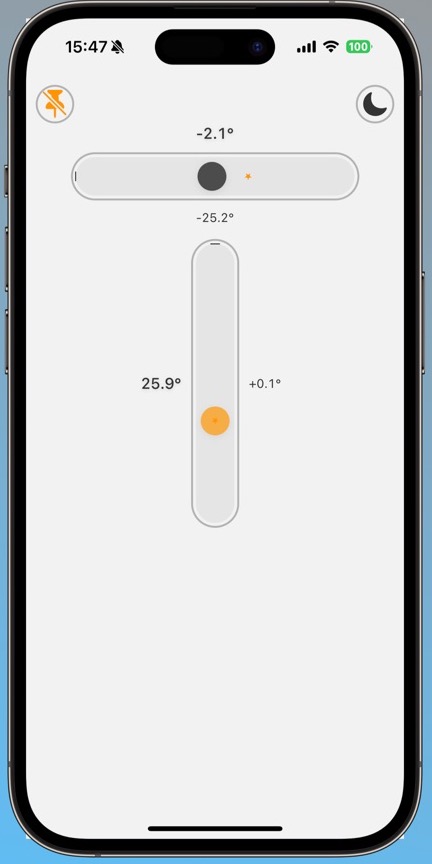
Watch the degree values beside the horizontal and vertical indicators. Keep the phone steady; the angles change as its position changes.
Save a reference if needed
Tap the reference control at the top left while in the position you want to compare. It saves the current angle as your reference; it does not increase the physical accuracy of the sensor.
Compare the next position
Move the phone to another position and check its alignment with your saved reference. Clear and save it again to choose a different starting point. Use the theme control at the top right to switch between light and dark appearances.
What is a reference angle?
Is a reference the same as calibration?
A reference makes your chosen angle a comparison point. It is not an independent calibration that verifies sensor error.
Can I rotate the phone in any direction?
Keep the phone’s orientation and contact method consistent when comparing readings. Different edges and positions can show different angle components.
Readings are calculated from your phone’s motion sensors and are approximate. Surface contact, a case and device conditions can affect them. Use an appropriate physical measuring instrument for work that needs verified accuracy.